Customs Duty & FTA Calculation
Select an HS code and target countries to see a comparison table of tariff rates by country, including FTA benefits. It is used to decide which country to target first for the same product.
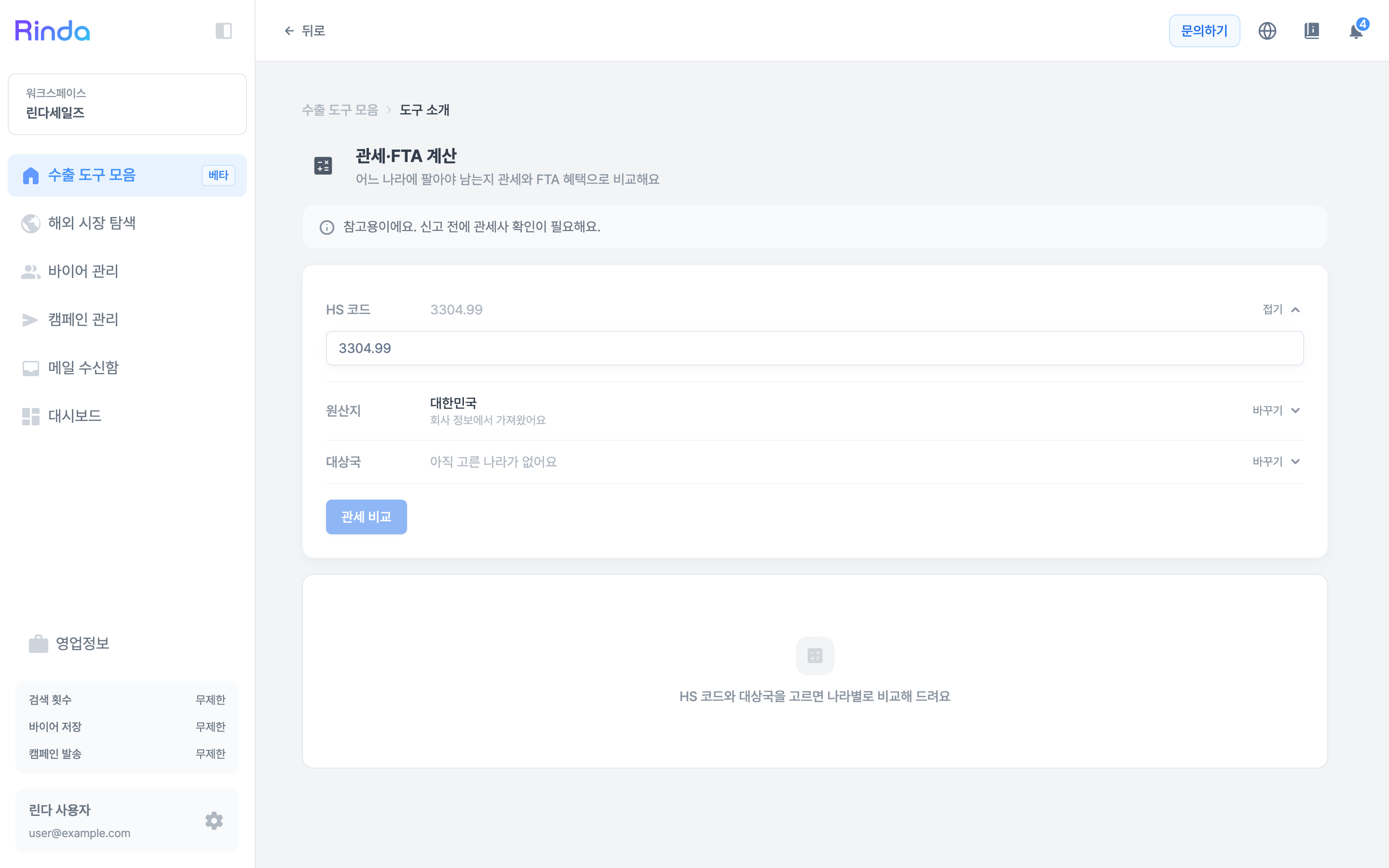
How to Use
1
Open Customs/FTA Calculation
Click the [Customs/FTA Calculation] card in the 'Export Toolkit' first step.
2
Enter HS Code
Enter the 6-digit code in the 'HS Code' field at the top. If you don't know the code, check it in HS Code Search first.
3
Check Origin
'Origin' is automatically pulled from the company info in business information. If the actual production site is different, fix it with [Change] — the origin determines which FTA agreement can be used.
4
Select Target Countries
Select countries to compare in 'Target Country'. It's better to add and compare multiple candidates rather than just looking at one country.
5
Click Compare Customs and Read Table
Click [Compare Customs] to see a comparison table by country. Since the tax rate reflecting agreement benefits and the basic tax rate are shown together, you can judge here whether it's worth preparing a certificate of origin.