Where to find our products now
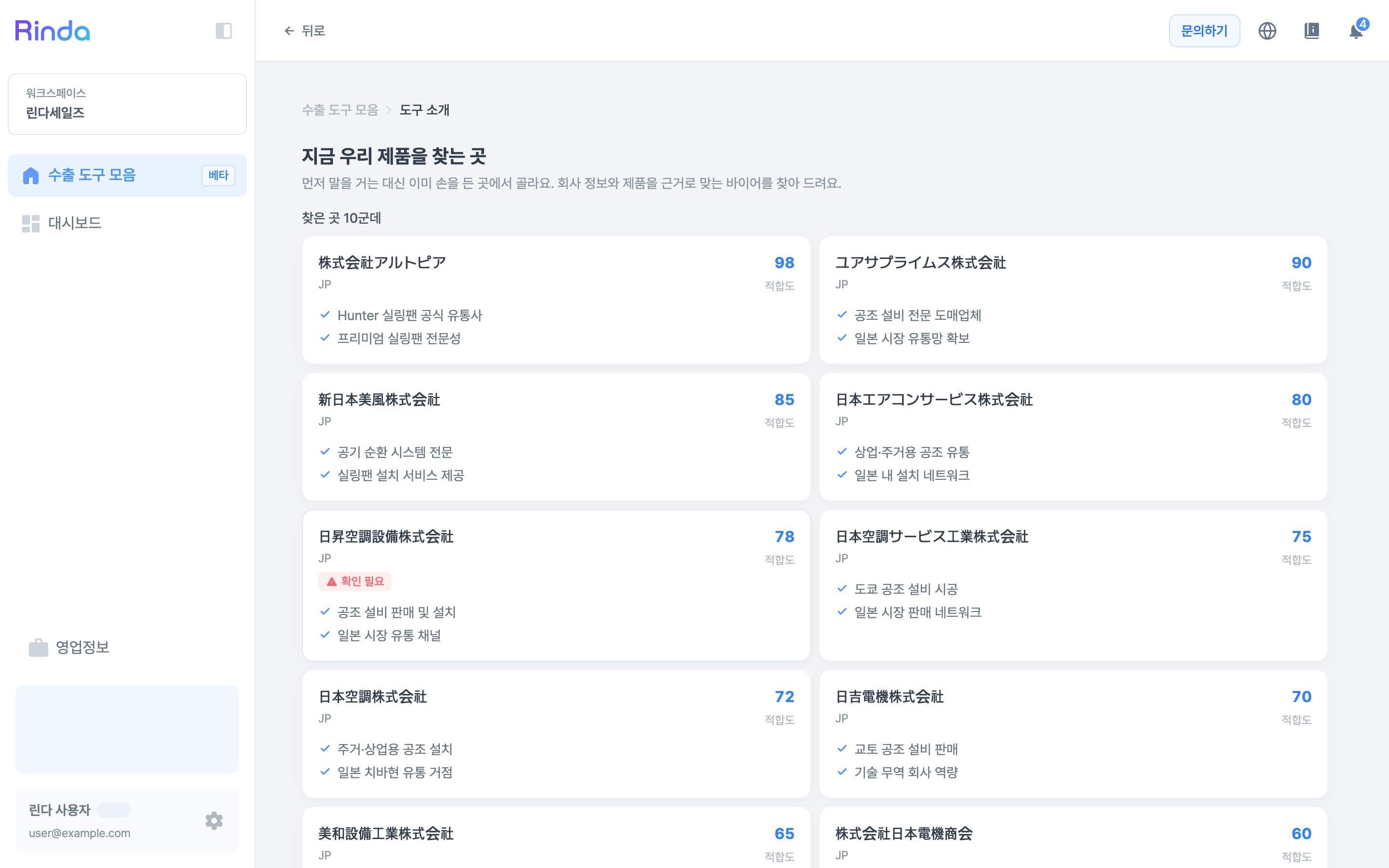
It selects only the purchase requests that match your company and products and displays them along with a suitability score. Instead of reaching out first, it's a method of choosing from those who have already expressed interest.
How to Use
1
Open 'Where Our Products are Sought'
Click the [Where Our Products are Sought] card in the 'Export Toolkit' first step. Matching results appear immediately without needing to enter any conditions.
2
Browse by Relevance Score
A relevance score is shown on the right for each company. Since it's based on company information and products, you can review them from the top.
3
Check Why It's a Match
The reasons for the match are displayed in two lines under the company name. Use this to filter whether it actually overlaps with your product.
4
Watch for the 'Verification Required' Tag
Some companies have a red 'Verification Required' tag. This means the evidence is weak or information is incomplete, so check the company before sending an email.