Meeting Booking · Interpretation · Recording
Handle meetings with buyers all in one place. Receive schedules via booking links, get instant on-site interpretation for face-to-face meetings, and receive summaries and to-do lists from recorded meetings.
How to Use
1
Open the Meeting Screen
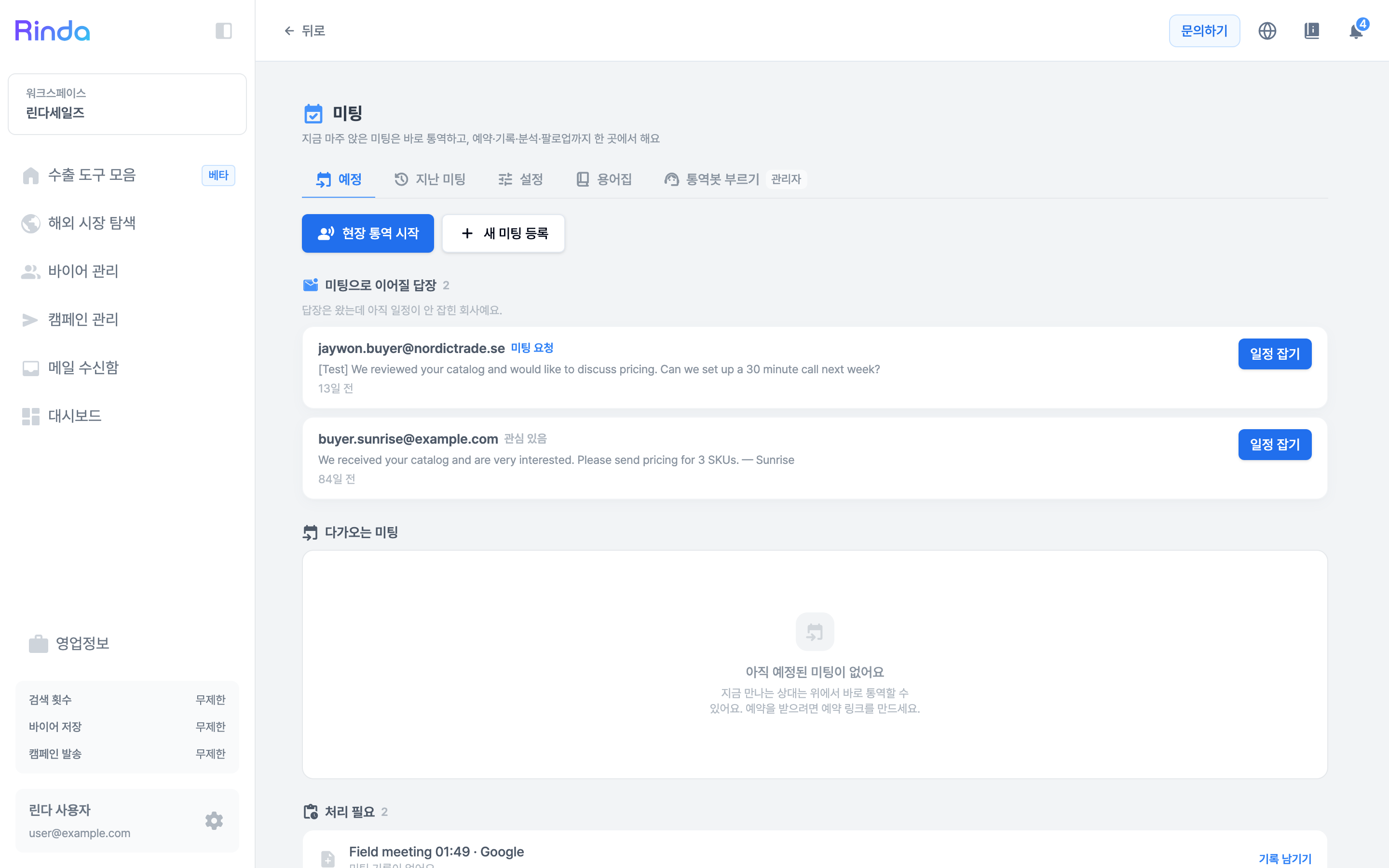
Click on a meeting-related card in the 'Export Toolbar' success stage to open the meeting screen. Booking, recording, analysis, and follow-up are all on one screen.
2
Call Interpretation Bot for Video Conferences
For meetings on Zoom, Teams, or Meet, paste the meeting link into the 'Call Interpretation Bot' tab and select your language and the other party's language. The bot will join the meeting to interpret. You can use it with just a link, even without syncing your calendar.
3
Share Booking Link
Copy your link using [Copy My Booking Link] in the 'Upcoming' tab and send it to the buyer. Once the buyer picks a time, it will appear in 'Upcoming Meetings'. To customize the link itself, go to the 'Settings' tab.
4
On-site Interpretation for Face-to-Face
Click [Start On-site Interpretation] to open the interpretation screen immediately without creating a meeting first. Since it starts on the spot, there is no preparation step.
5
Keep Meeting Records
For meetings that have already ended, create them via [Register New Meeting] and attach recordings or transcripts to get summaries and to-do lists. You can view them again in the 'Past Meetings' tab.
6
Fill the Glossary
Add your product names and industry terms to the 'Glossary' tab, and the interpreter will use those exact expressions. This prevents product names from being mistranslated.