Sales Info
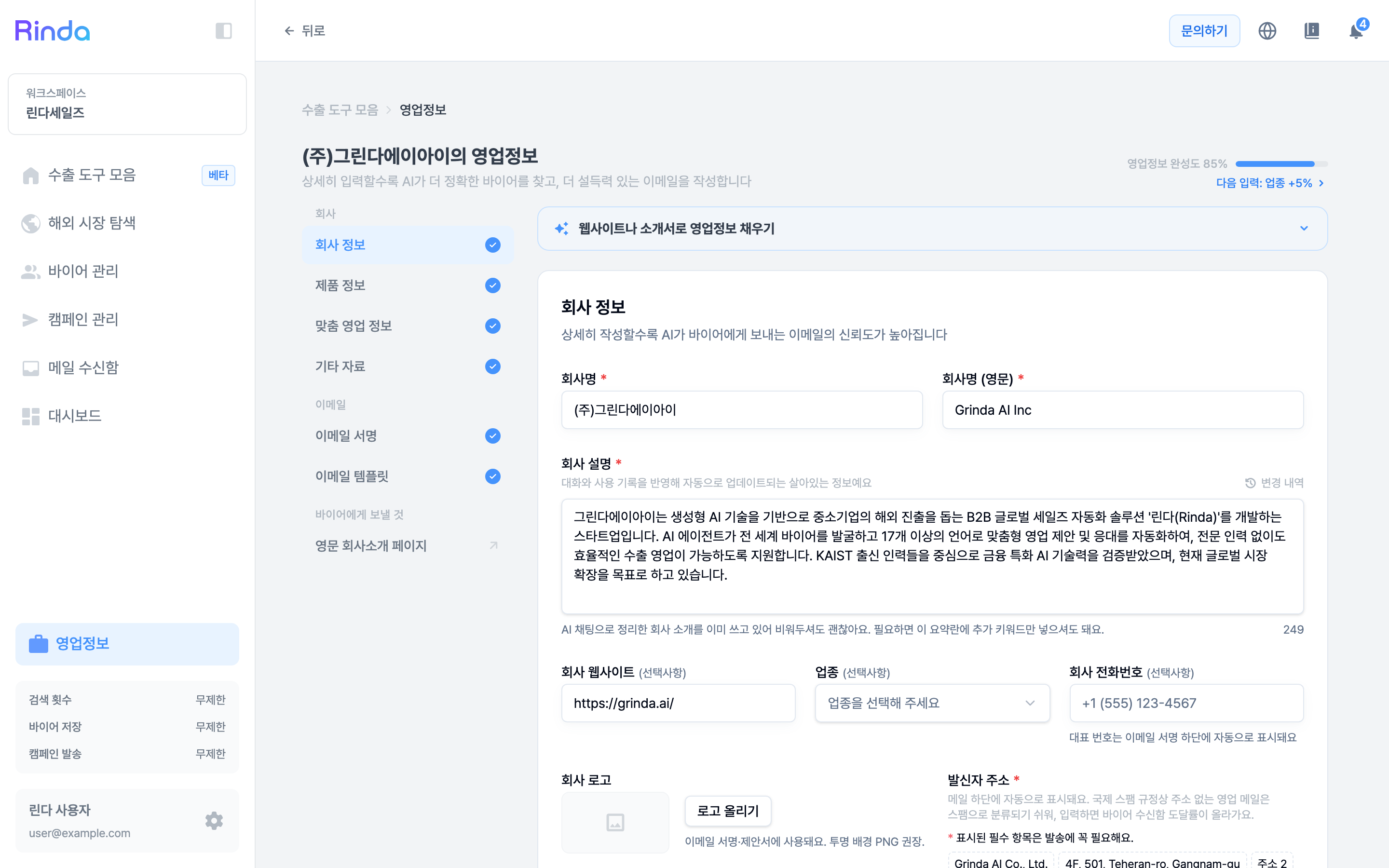
Manage core sales data used by AI. It consists of tabs for Company Information, Product Information, Custom Sales Information, Company Introduction, Email Signature, and Email Template, and based on the registered information, AI provides more accurate buyer discovery and email writing.
How to Use
1
Access My Sales Info
Click My Sales Info at the bottom of the sidebar to go to the sales information management page. You can check the overall completion status (0/3 ~ 3/3).
2
Register Company Info
In the Company Info tab, enter your company name, business description, etc. The AI uses this for buyer search and email writing.
3
Register Product Info
In the Product Info tab, register your main products. The AI uses this for product matching and email writing.
4
Set Email Signature
Register your signature in the Email Signature tab, and it will be automatically added to campaign emails. The signature saves automatically as you type — there is no separate Save button; the save status is shown at the top of the screen. Signatures are written separately for each language. Enter them individually in the Korean, English, and Japanese tabs at the top of the editor.