Now, Manage Meetings Within Rinda — v2.9.3.0 Update
Hello, this is the Rinda Team.
When you receive a reply from a buyer, the next steps have always been cumbersome.
Calculating time zones to suggest times, exchanging several more emails, manually adding confirmed schedules to your calendar...
The most important thing is the meeting itself, but it took days just to schedule it.
In this update, we've brought that process into Rinda.
A new [Meeting Management] menu has been added to the sidebar.
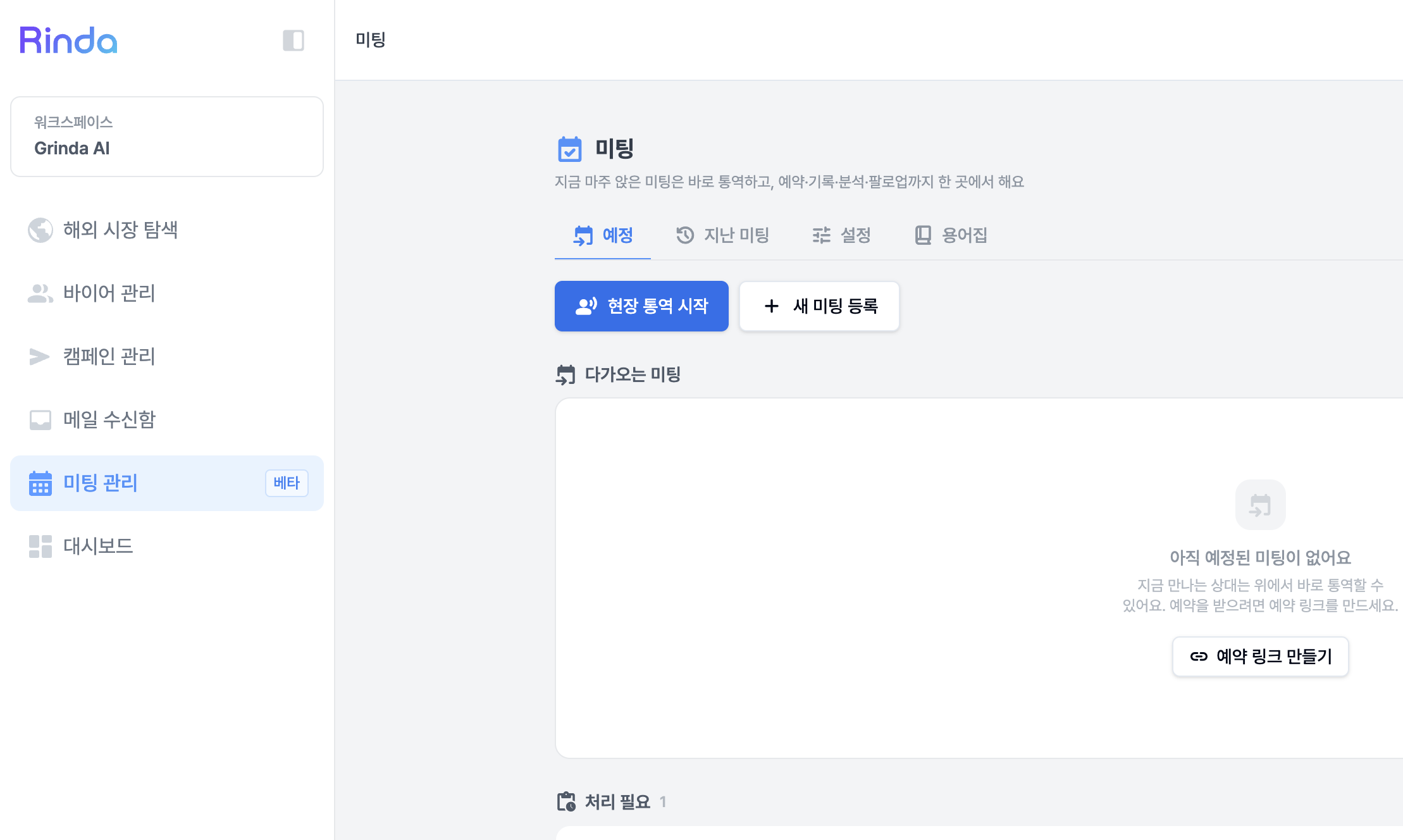
It is located right below the [Inbox]. Because the next step after receiving a reply is the meeting.
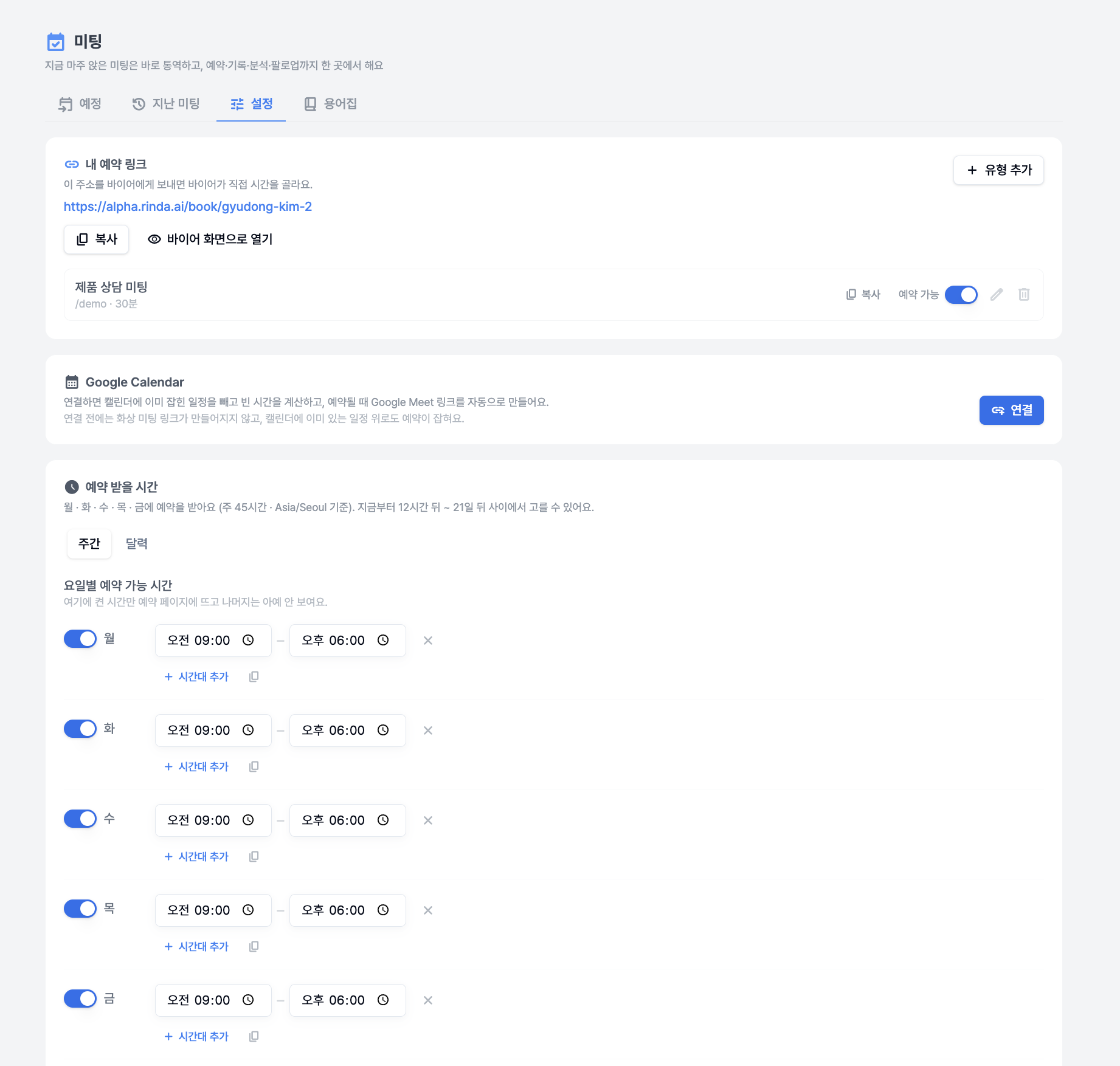
Schedule coordination is finished with a single booking link. If you open up your available times in advance, buyers can open the link and choose a time themselves. We calculate the time difference for you, so there's no need to exchange messages like "What time is that in your time zone?"
You can insert the booking link directly when replying to received emails. Just select the meeting type in the AI reply draft, and the appropriate text and link for that type will be included.
Meeting requests that haven't been scheduled yet appear at the top of the home screen. We've made sure they don't get buried in your replies and missed.
You can immediately check the 'conversation that started this meeting' in the meeting details, and the AI analysis will also read and summarize the content of the exchanged emails.
When you first enter, a guide screen will appear to show you what to set up first. We have also redesigned the settings screen to fit the export workflow.
Even at trade shows, including interpretation
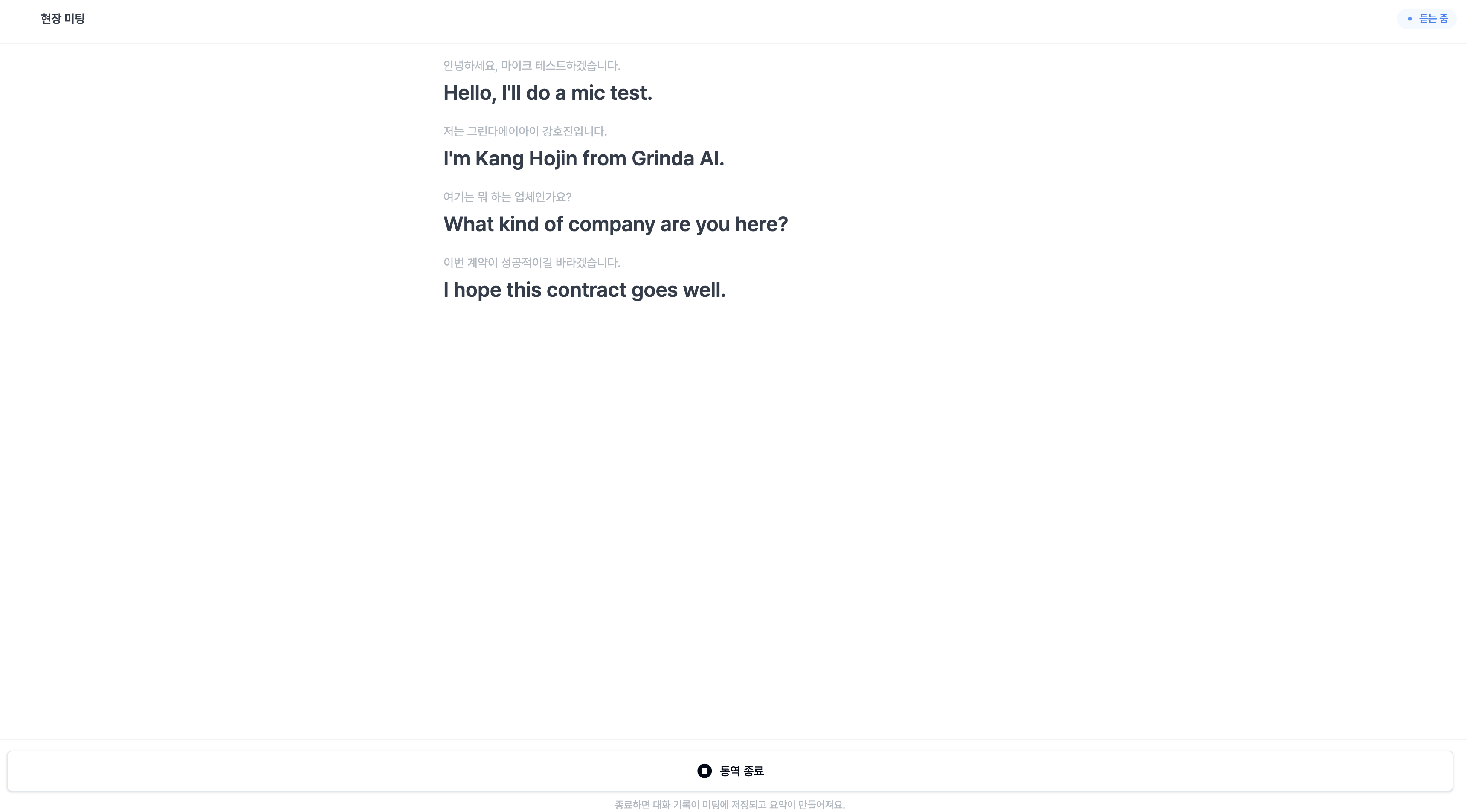
We also support face-to-face meetings at exhibitions or in the office.
You can register buyers who visit your booth without an appointment on the spot and immediately fill in their company and contact information. The meeting location is also recorded.
When you turn on real-time on-site interpretation, what you say into the microphone is immediately interpreted. We fixed the issue where the end of sentences were being cut off, and now the screen will let you know what the problem is if the microphone isn't being detected.
Meeting management is currently in beta. Please try it out and let us know if there's anything you'd like to see improved, and we will reflect it in the next update.
You can merge scattered buyer groups into one
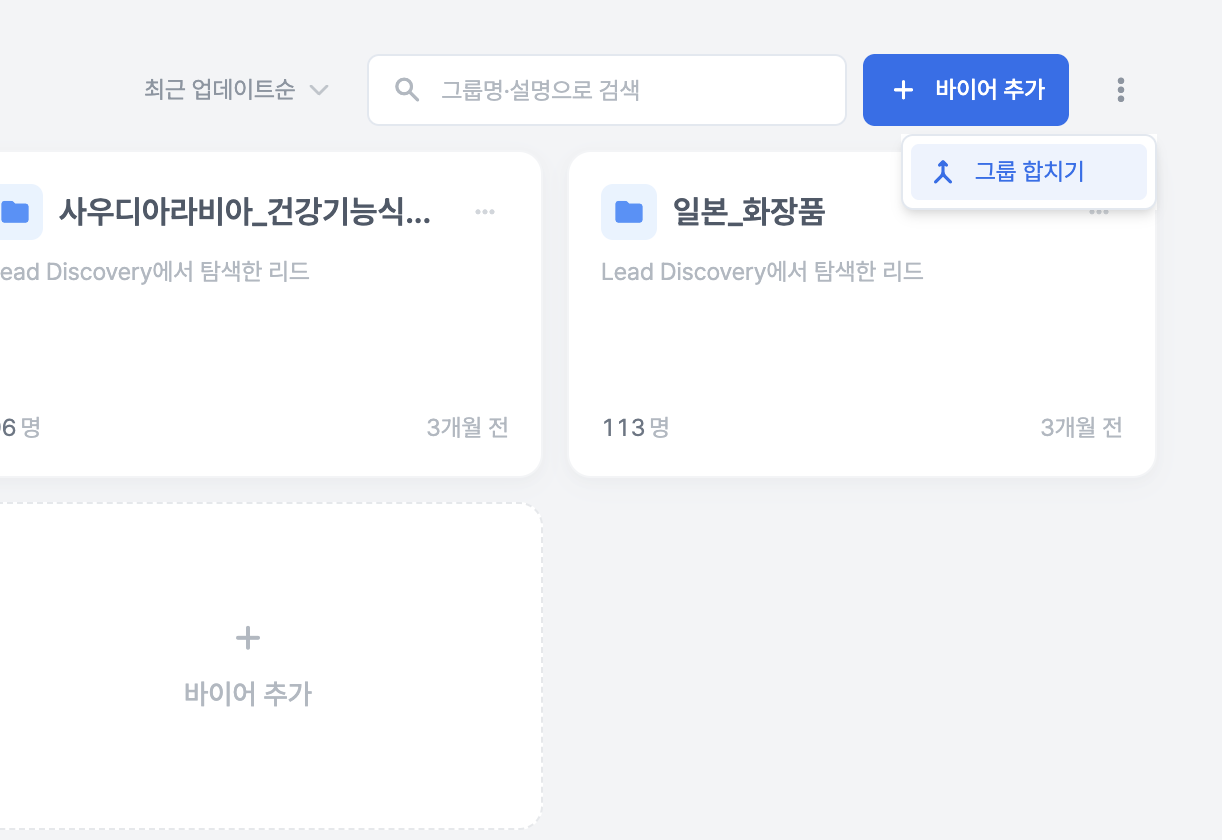
If you have business cards received at exhibitions, lists uploaded via CSV, and buyers saved through searches piled up in different groups, you can now merge them into one.
In Buyer Management, just click the [More] menu → Merge Groups for the group, and set a new name to finish.
The recipients for campaigns that haven't been sent yet remain unchanged. We've ensured that organizing groups doesn't change who you're sending to, and we provide a reminder on the screen as well.
When you manually enter your first buyer, a group is created automatically, so you don't need to create a group first.
The app has become noticeably lighter
We have significantly reduced the waiting time every time you log in.
We reduced the data loaded when the login screen opens from 21.7MB to 2.3MB. Screen navigation after login has also become lighter, from 16MB to 2MB.
The dashboard, which used to take up to 24 seconds for accounts with a lot of data, now opens in 1.5 seconds.
If you use multiple workspaces, you will notice that switching is noticeably faster.
You can especially feel the difference in slow internet environments or on mobile.
Buyer Search, we show you why these are the results
Search up to 5 countries at once with a single search.
We added [Continue Reviewing] to review buyers you haven't seen yet, one by one. You can also re-review buyers you've already reviewed by clicking on them again, and we fixed the issue where reviewed rows seemed to disappear due to sorting.
We display the reason why a buyer was excluded from the candidates. We also unified the criteria for the issue where the number of results appeared differently on different screens.
We also reduced the time it takes for search results to appear.
Other changes
The [Buyer Matching] menu has been removed from the sidebar. If you access it via the existing URL, you will be automatically redirected to [Explore Overseas Markets]. It hasn't disappeared; it's being moved to a feature within Explore Overseas Markets.
We have aligned the estimated amount shown when changing plans with the actual payment amount. We show the pro-rated amount reflecting the remaining period before tax, and display VAT separately.
We fixed the issue where step-by-step sending dates for campaign emails appeared swapped and the issue where counts didn't match, and also improved email body quality and delivery rates.
You can immediately continue setting up campaigns that were left unfinished via AI recommendations from the list. The settings you had turned on when you resume writing will remain as they were.
The group the buyer belongs to is displayed as a badge in the email inbox reply list.
We fixed the issue where connecting to a representative in 'Contact Us' would hang without a response, and ensured that past conversations remain even if you end the conversation and start a new one.
We fixed the unsubscribe function for the notification emails we send so that it works properly. We also resolved the issue where the same notification was sent multiple times.
We fixed the issue where some screens appeared in Korean when users using non-Korean languages first signed up.
The focus of this update is "what to do after a reply."
We don't think Rinda's job ends at receiving a reply from a buyer.
We want to be with you until you actually meet, discuss, and lead to a transaction.
Please try out the various updated features and let us know if there's anything lacking, and we will fill those gaps in the next update.
Thank you.
Sincerely, Rinda Team
Last updated July 30, 2026