From the moment you choose a country to export to, Rinda sticks with you — v2.9.0.0 Update
Hello, this is the Rinda Team.
Recently, many of the CEOs visiting Rinda have been experienced in sales, but conversely, we've seen a significant increase in CEOs who are completely new to exporting and are struggling because they lack knowledge.
"I've found a buyer, but I don't know which country I should target in the first place."
This was a common concern shared by many of you.
In this update, we've prepared a new feature to help you take that first step, and we've also added a small feature to hear more from you.
Overseas Market Exploration is now open
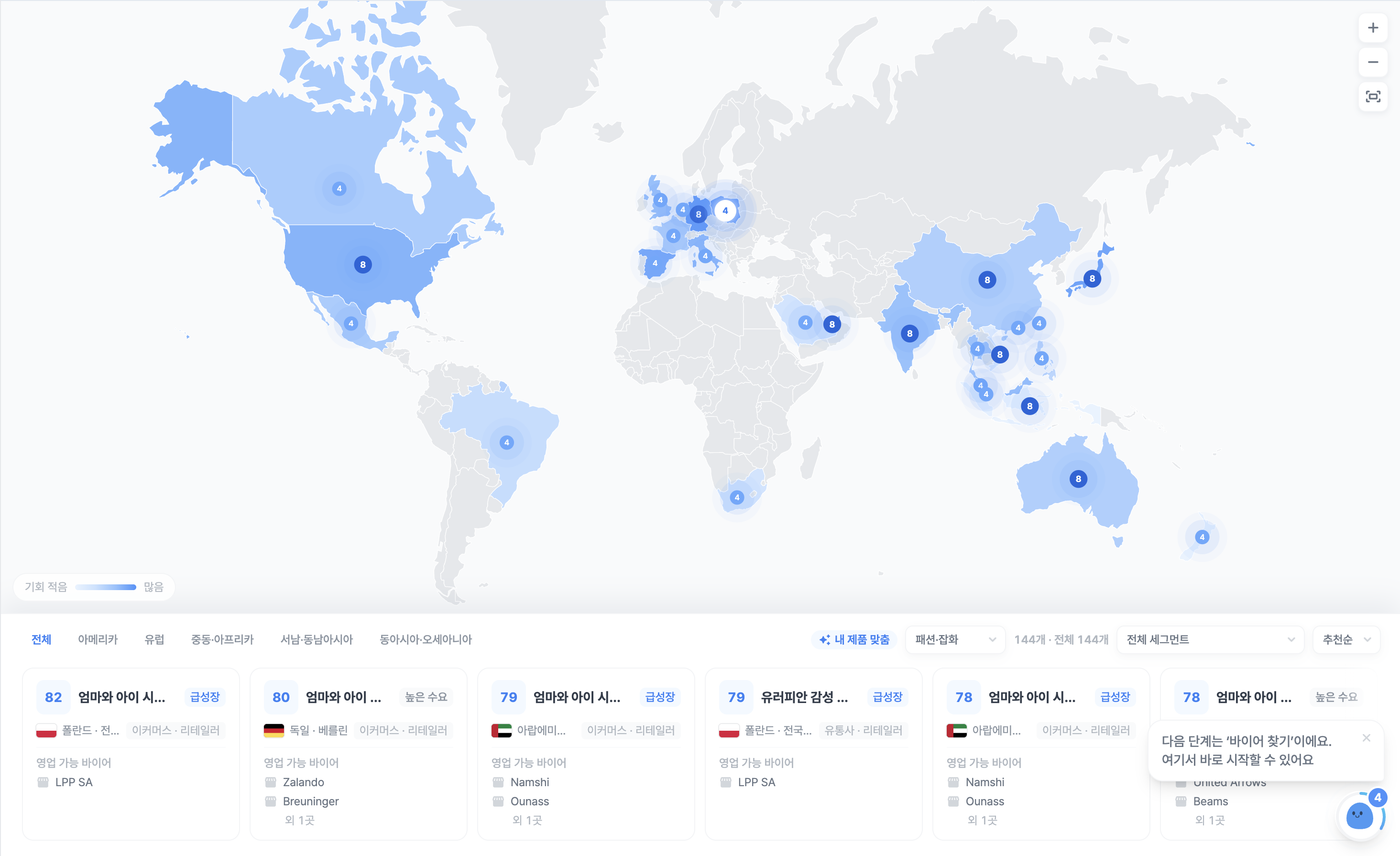
A new Overseas Market Exploration feature has been added to the sidebar.
It's a feature that lets you open a map and see at a glance which countries are good for selling your products.
As you'll see when you click on each country, it doesn't just end with "It's promising."
Actual import volume, number of secured buyers, and source links are displayed as 'data evidence,' so you can personally verify and judge why that market is promising. The map color darkens according to the actual heat of the market, so you can get a feel for where it's hot (promising) just by scanning it.
Because it selects industries suitable for you based on the company and product information you've entered, we've reduced the chances of irrelevant markets being recommended. Even if you haven't entered your company information yet, you can still browse first, and we've also prepared a simple tour guide for those who are new.
This Overseas Market Exploration is a beta feature. We would love for you to try it out and let us know what you think.
Call Rinda from the messenger you use every day
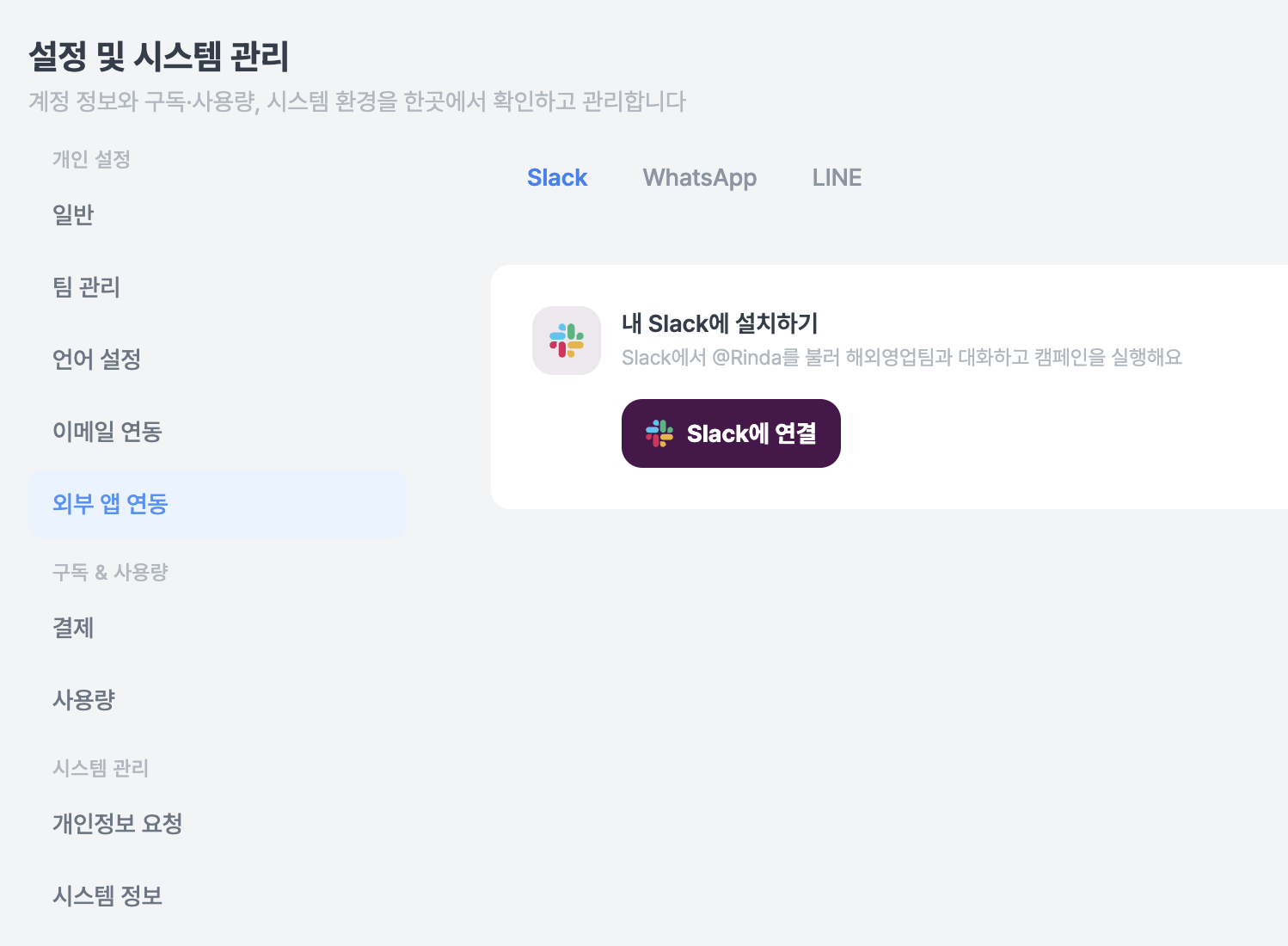
You can now connect Slack, WhatsApp, and LINE to Rinda. Just press the "Connect" button in Settings > External App Integration or scan the QR code to finish the connection.
Once connected, you no longer need to access this website.
If you send a message like "Find me a cosmetics buyer in Japan" in the messenger chat window, buyer exploration will begin, and you can receive the results directly via messenger.
You can then press the [Approve] or [Reject] buttons to move to the next step. Rinda can also understand if you send images or voice messages.
Even on days when you can't open your laptop while on a business trip, your sales won't stop as long as you have your phone.
This external app integration is a beta feature. Likewise, please try it out and let us know your thoughts.
If you get stuck with a question, a representative will take over immediately
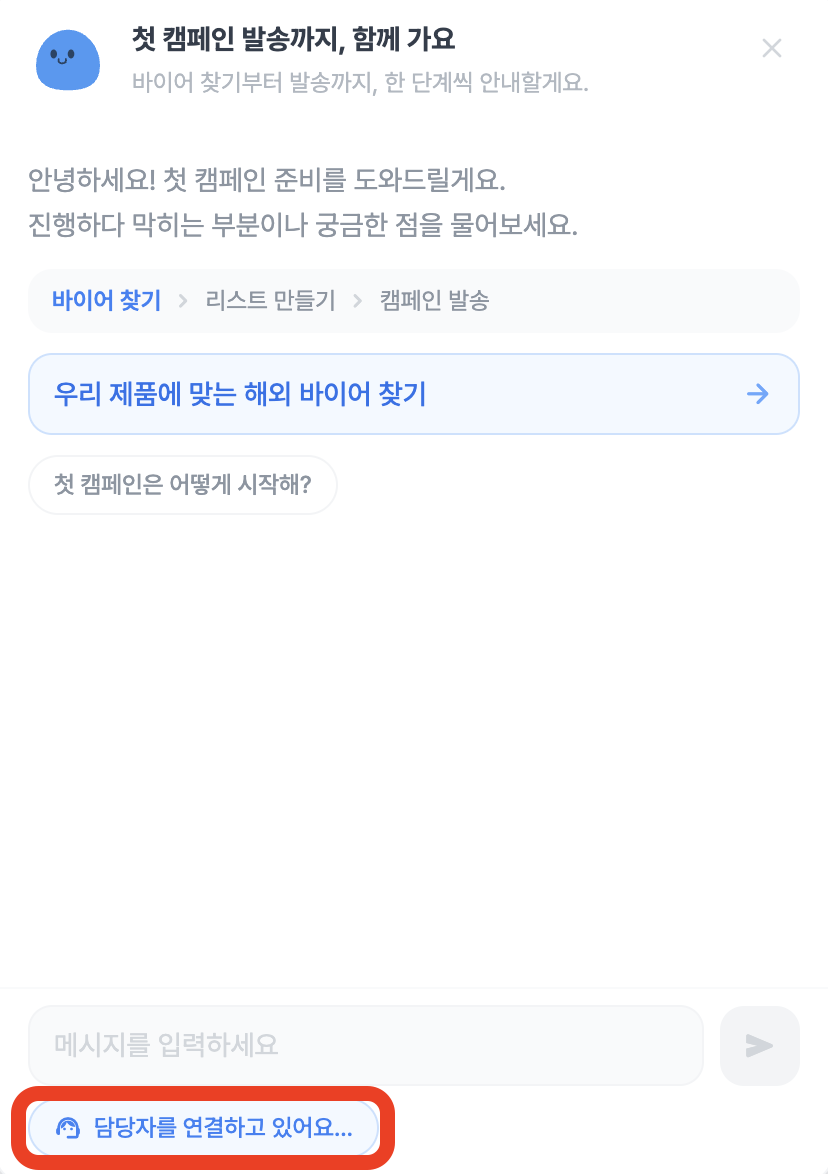
You don't have to wait endlessly when the chatbot can't find an answer.
With a single "I want to connect to a representative" button at the bottom of the chatbot, a real representative will take over the conversation and answer you directly.
There's no need to fill out a separate inquiry form or wait for an email reply.
Even in conversations that have already ended, you can ask again at any time by clicking [Start new conversation].
We've tidied up the inbox screen overall
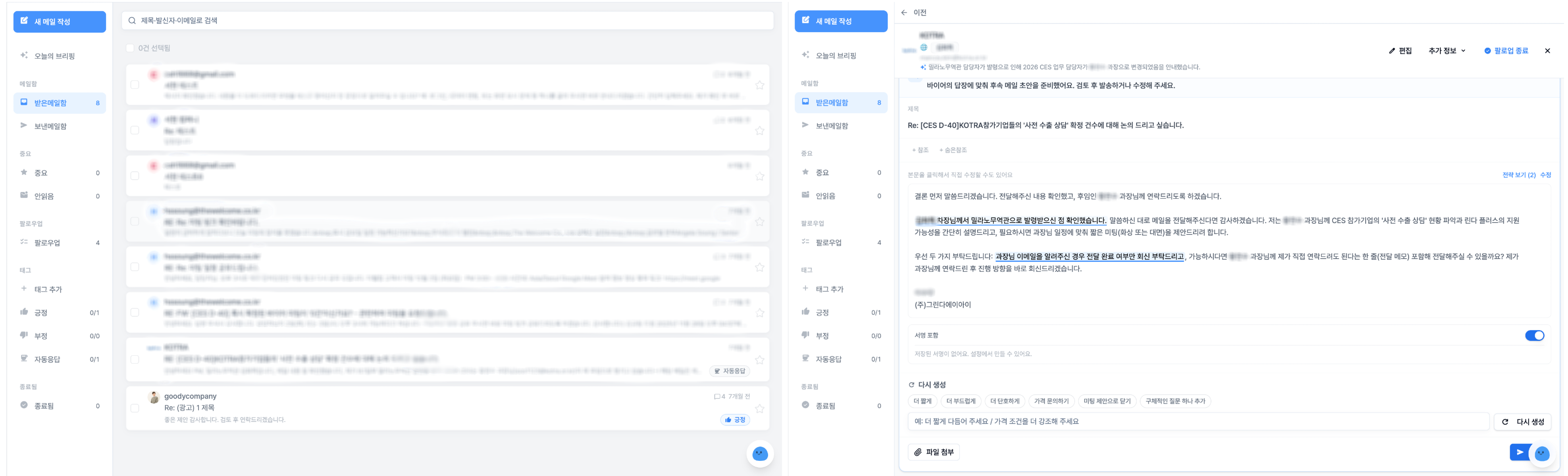
We've cleaned up the screen and now provide conversation summaries when the exchanged emails get long.
You can grasp what has been discussed without having to re-read long threads from the beginning.
When writing a reply or a new email, you can now choose which account to send it from, and spam that kept coming in by bypassing the follow-up termination can now be blocked by sender.
Phishing emails impersonating our domain are automatically hidden.
Campaign emails have become more accurate
We fundamentally fixed the issue where items like names and company names inserted into emails were rarely sent in the {{name}} format as is.
Now, the preview and the actual sent version always match.
If you request edits via chat, such as "Change to step 2" or "Change to English," it will be properly reflected, and the edits will remain even if you refresh the screen.
Getting started has become much easier
If you just enter your company website address, Rinda will automatically find and fill in your company information and product details from the web. If you don't have a website, you can just tell us your company name.
Other changes
Check how many pages of your proposal were viewed — Tracks the buyer's viewed pages and displays them in the sending status
Home dashboard reorganization — Reorganized around views, replies, and meetings, and added a reply line to the trend chart
Improved buyer exploration result screen — You can switch between [Buyer List ↔ Designed Campaign] tabs, and you can directly narrow down or expand the search range
Email signature check — Notifies you in advance of signals that might be classified as spam, such as signatures different from the sending address or excessive links
Changed the sidebar menu name from 'Find Buyers' to 'Buyer Exploration'
Usage for those on the unlimited plan is now accurately displayed as 'Unlimited'
Fixed numerous large and small errors, including search accuracy and speed, loading immediately after login, and help links
We have also taken care of protecting our customers' data.
In this update, we have thoroughly inspected and supplemented data access paths between workspaces and strengthened email sending stability.
As always, if there are any inconveniences or parts you think "it would be better if it were like this," please feel free to tell us via the chatbot now.
A representative will take over immediately and listen.
Thank you.
Sincerely, Rinda Team
Last updated July 9, 2026