Not overwhelmed even if it's your first time, thorough even in niche markets — v2.8.2.0 Update
Hello, this is the Rinda Team.
Recently, we've seen a significant increase in new users meeting Rinda for the first time.
Thanks to your great support, Rinda has been able to welcome 1,000 client companies.
We would like to take this opportunity to thank all of you who have joined us in reaching this milestone of 1,000 client companies.
As many of you are new to our service,
for this update, we focused heavily on the idea: "Don't get lost if it's your first time, and make it even more convenient for those already using it."
That focus led to improvements in three major areas:
Easier to start, broader buyer search, and a completely new screen for campaigns.
Let me walk you through them one by one.
Not overwhelmed even if it's your first time — Start by watching, right after signing up
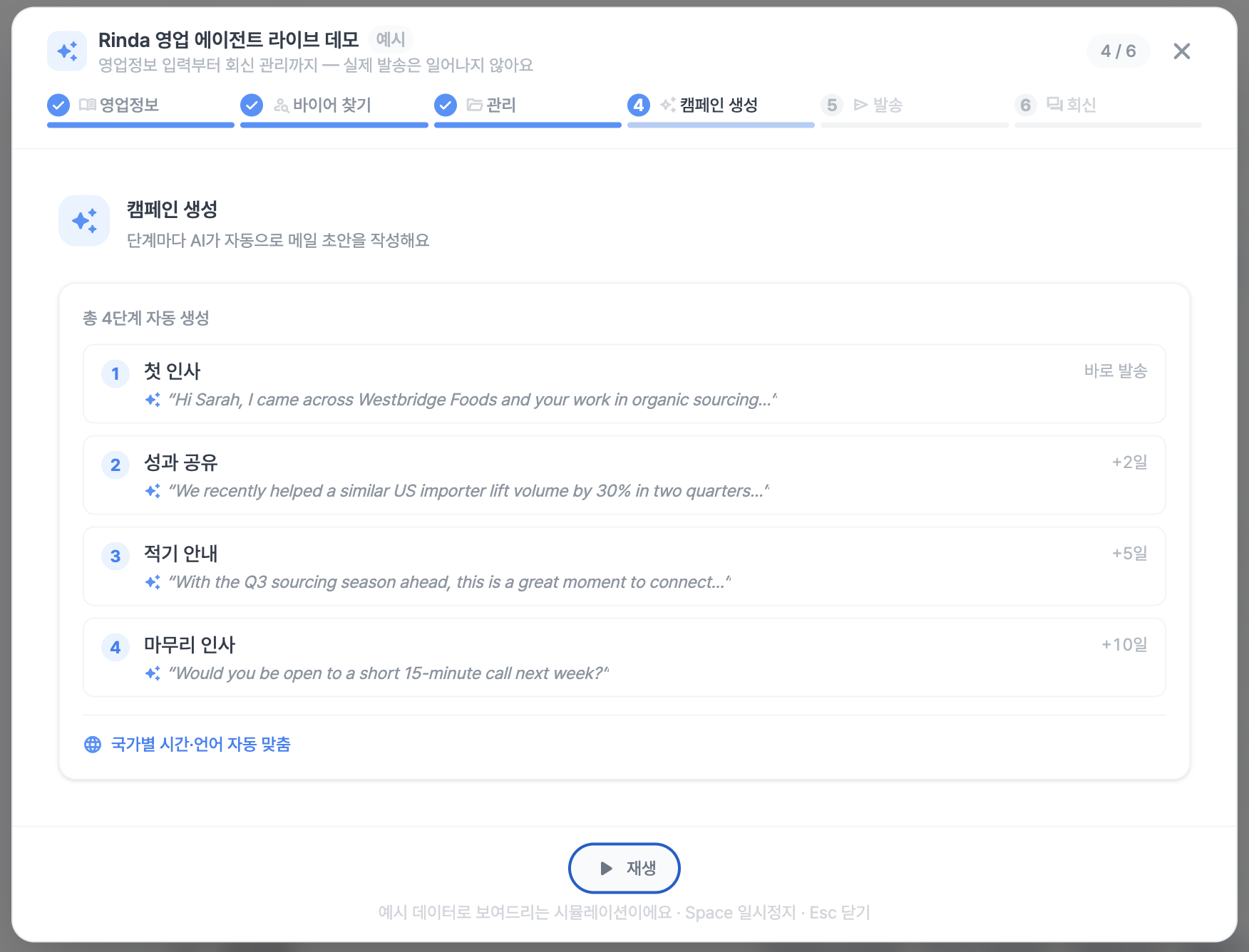
"I signed up, but what should I do first?" "How do I use Rinda?"
This is the point where most new users get stuck.
While there are explanations for each menu, there wasn't a dedicated time to introduce what this service actually is.
Now, right after signing up, you will be guided by a live demo that shows exactly how Rinda works on the actual screen.
You can follow the process of finding foreign buyers and sending emails through short scenes, so you can get the hang of it immediately without hesitating in front of the first screen.
You can watch the demo again at any time, so if you're in a hurry, feel free to skip it and watch it later at your own pace.
The campaign creation screen has been completely redesigned
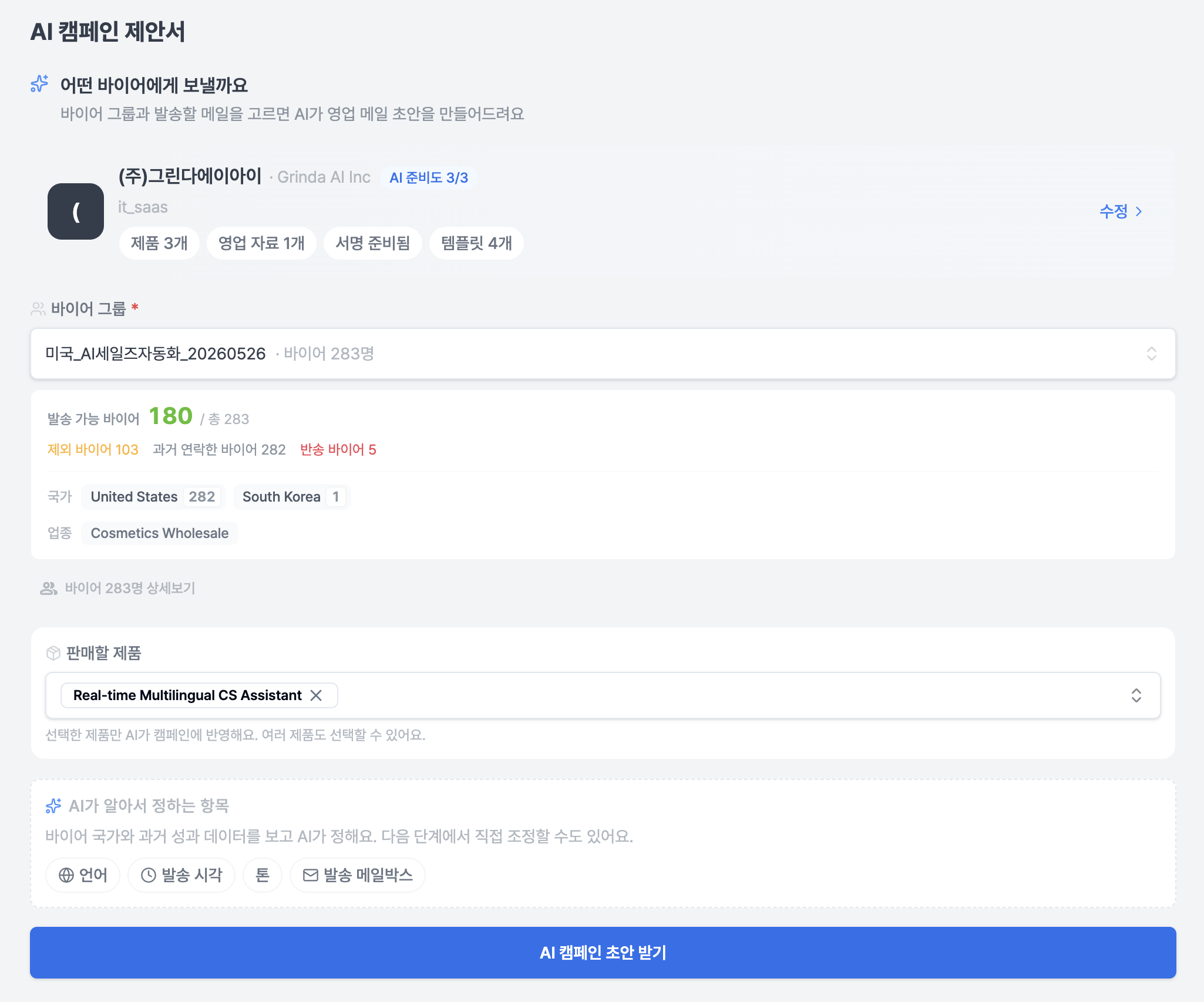
We have put the most effort into the screen where you create and send campaigns.
The campaign management screen is the core of our Rinda service, and as such, it inevitably had complex features and screens.
So, we redrew the whole thing, completely restructuring the screen so that both existing CEOs and new users can understand it quickly.
We reorganized the step editing into role-based cards (Overview of flow, Step details, Sending settings), making the entire creation process much smoother.
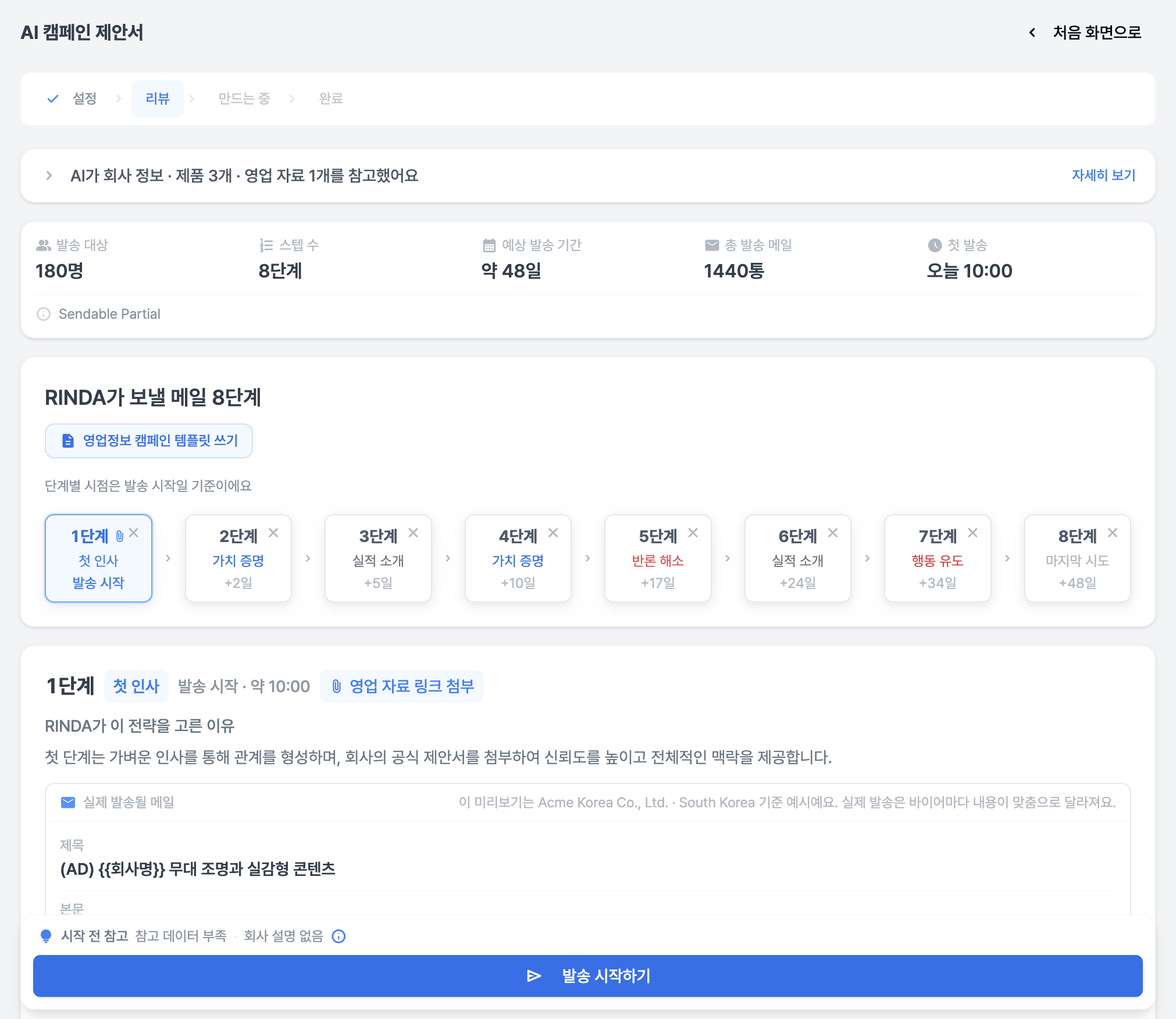
Auto-save as you edit — Even if you just change the title, the images, formatting, and line breaks in the body remain preserved. The campaign you are working on won't disappear even if you close the tab.
With one "Send" click — You don't need to wait for writing to finish and press another button; everything from writing to sending happens in one go. If there are 0 recipients, we prevent empty sends.
Don't send to the same buyer twice — If there's a situation where you might send an email to a buyer you've already contacted, we'll double-check with you before sending. You can keep intentional resends while preventing accidental duplicate sends.
Real-time progress — Instead of a frozen, empty screen while creating a campaign, we show you in real-time how far along the process is.
Multiple campaigns at once — You can select multiple campaigns from the campaign list to delete them or change their status all at once.
Accurate status — We fixed issues like "It says 'in progress' even though it's all sent" or "New campaign can't be created for a finished group," and made statuses like 'Receiving replies', 'Paused', and 'Postponed' clearly distinguishable at a glance.
Cleaner interface — You can select multiple lead groups at once to see aggregated statistics, and search for and specify multiple sending accounts. We also unified confusing terminology (Mailbox, Buyer).
We focused on redrawing the complex, scattered campaign creation process into a natural, single line: "Select → Confirm → Send."
Even local buyers in niche markets — Finding them more broadly
Now, buyer search utilizes a total of 6 search engines (Google, Bing, Yandex, Baidu, Naver, Yahoo) together.
You can meaningfully find local companies even in markets where Google doesn't reach well, such as Russia, China, and Japan.
We also removed regional restrictions, so you can now search targeting any country in the world.
If you tell us conditions like "Southeast Asia focus, large distributors only" via chat before searching, it will be reflected in the results.
If the result is 0 or the search fails, your usage quota will not be deducted.
Other changes
Received replies, with AI drafts — AI suggests draft replies as cards for received emails. You can edit them on the spot, choose to include a signature, and attach files to send. We also reorganized the automation for classifying and processing replies, making the on/off settings clearer.
Auto-fill my business information — Just enter your company website address, and we will fill in all items like company introduction, products, and customized information at once.
Payment screen accuracy — We fixed the issue where amounts were displayed incorrectly on receipts/invoices, and we are offering a 50% discount on the first payment.
Buyer management — When moving buyers to a group, the target group name is displayed, and columns are matched more accurately when importing via CSV. When registering individual buyers, if the email already exists, it is naturally merged into the existing group.
The login screen opens faster, and for those using it overseas, we have fixed missing language translations for dates, numbers, and guide text in various places.
We tried to align every small screen and button with the "actual workflow of an export manager."
If you find anything uncomfortable or need anything else while using it, please let us know at any time. Your feedback is the starting point for our next update.
Thank you.
Sincerely, Rinda Team
Last updated June 18, 2026